Windows 5.3.12.0: All maps have error banner "The specified crecentials are invalid ..."
The maps that appear on the ride details screen and the maps that appear in the popup during a ride all contain a error banner:
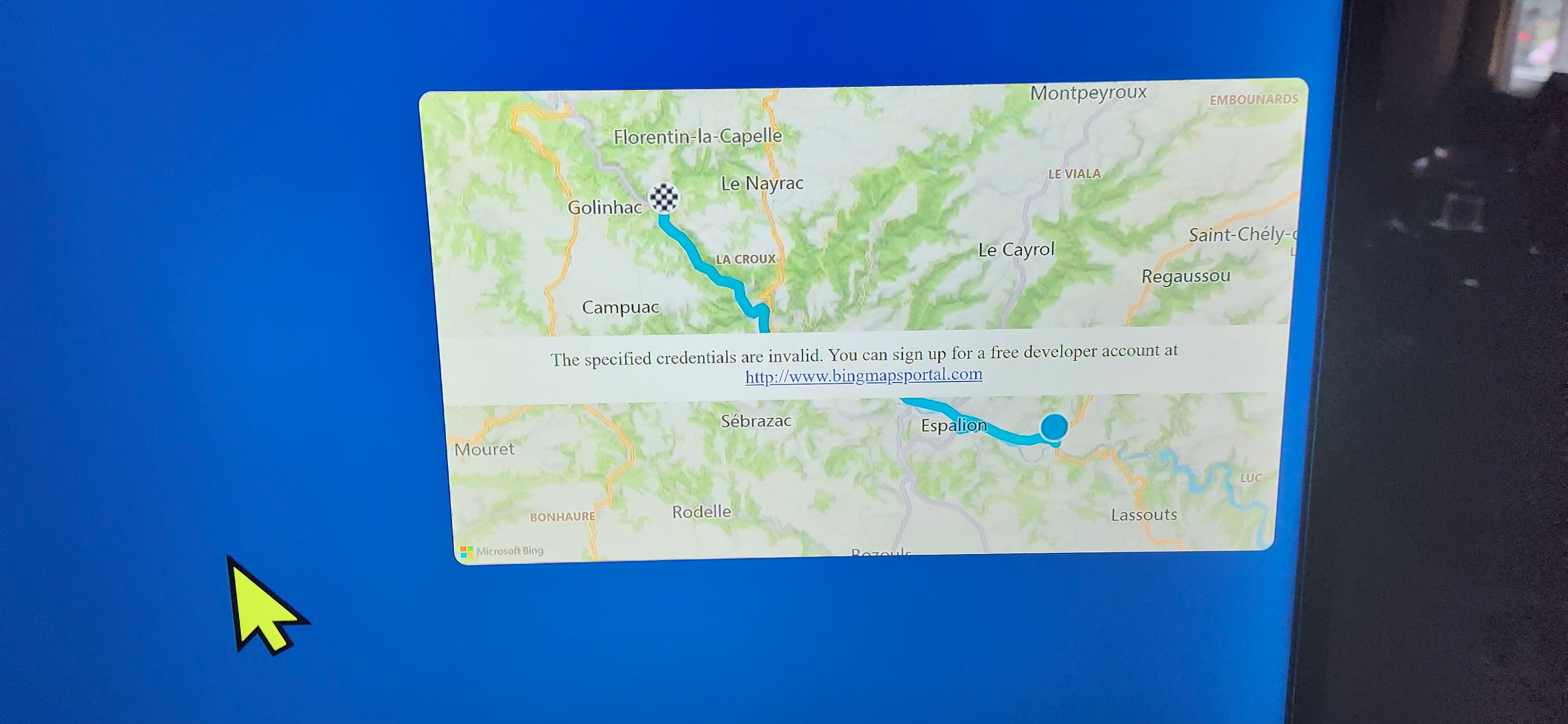
The specified credentials are invalid. You can sign up for a free developer account at http://www.bingmapsportal.com
Log in to comment and vote
Comments3
Klem (FulGaz)
Sep 4, 2025
Our mapping API service (Bing, for the Windows app) discontinued it's service! Do not sign up via the message. Our software developers have switched to a new mapping service, but it will take a software update release to implement this.
In the meantime, the map issue will not have any effect on your rides once started.
If you would like early access to the beta version of FulGaz for Windows please do let me know and I can add you to our release list (once added, your app will update automatically in most cases). To be added, I need your Microsoft Store account email. This may be different from your FulGaz account email and can be found by opening the Microsoft Store on your device.
Maynard
Sep 4, 2025
Interesting that when I run the FulGaz app via my iPad, the “invalid” message does not appear. Similarly the other issues that I am having running FulGaz on a Windows 11 PC are not apparent when using my iPad.
Maynard
Sep 4, 2025
I get the same “…credentials are invalid…” message too. Double clicking on the map does zoom in, however the “invalid” message banner remains obstructing the map.
Please Note: Apparently, Bing Maps is being “retired” - no new licenses from 30 June 2024 with all services and support ending on 30 June 2028. Microsoft requires customers to utilise “Azure Maps”. I have no idea if any of that is affecting the FulGaz app.