Using an HDMI / Lightning adapter, both the bike computer and the headsup display are visible.
Running version 6.0.5 on iPhone iOS 18.7.2. When using an HDMI / Lightning adapter to view FulGaz on a TV I can see both the bike computer and the headsup d
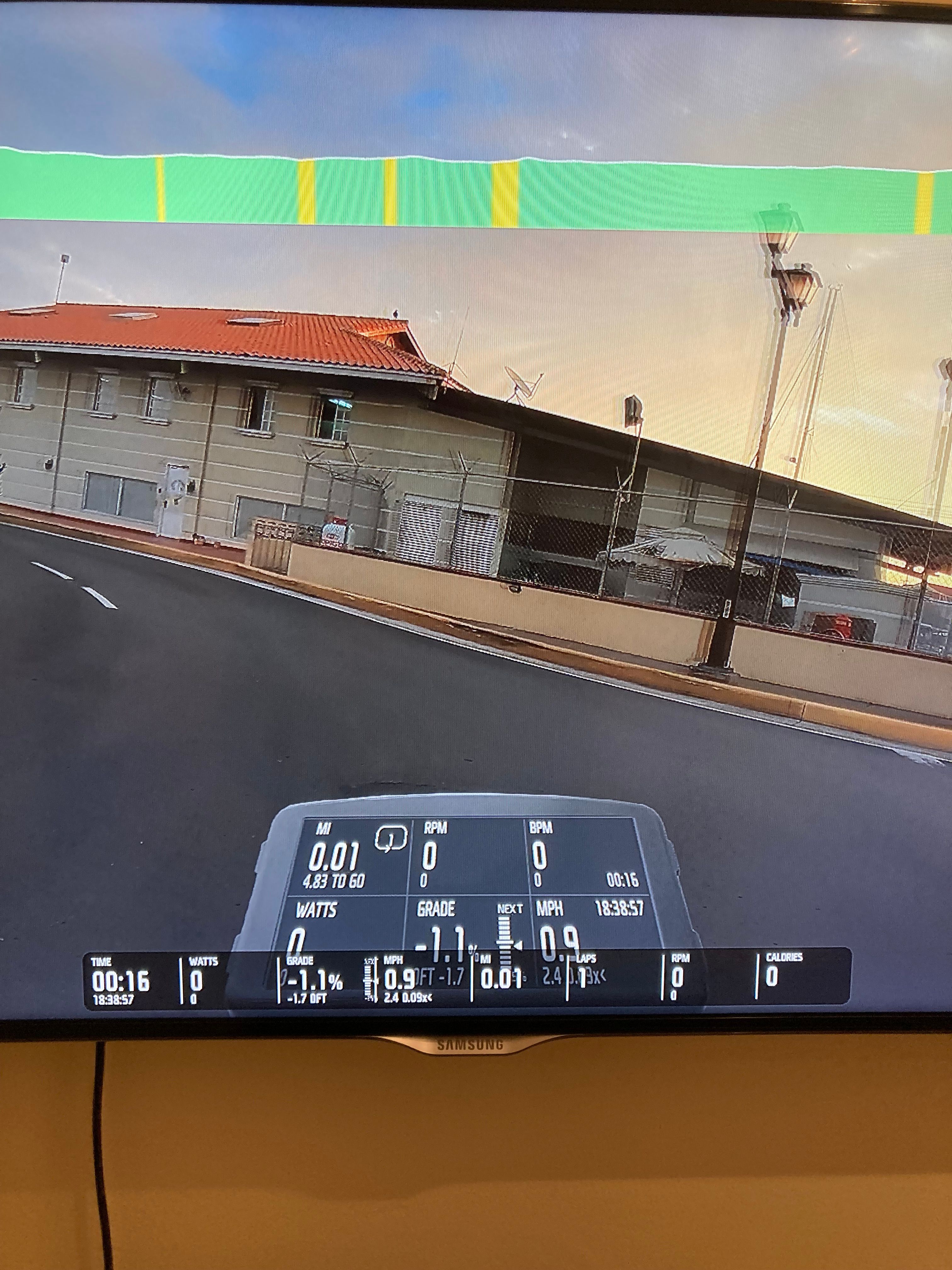
isplay. This didn’t happen before the latest update and doesn’t happen if I just view on my phone
Log in to comment and vote
Comments8
dellwas
Feb 17
Same issue here. Klem from Fulgaz support replied back in my ticket to say they are aware of it and working on a solution.
Till_L
Jan 27
I’m using iPad to TV Screen connection via HDMI. During the last rides, I was able to start normally with the HUD. The additional bike computer became visible later during the rides. It appeared as soon as a FulGaz climb was started. Then it didn't disappear anymore.
uk-roadie
Jan 3
I have exactly the same problem when viewing on a large screen from my ipad via an HDMI to Lightning adapter. I have tried turning off the HUD/ Bike computer in settings but the bike computer and HUD still shows up but without any data. It is correct on the iPad itself HUD or bike computer. Version 6.0.5 and iOS 16.17.12
MBB 🌱
Dec 21, 2025
•Merged request
•3 votes
HUD/Computer problem
If I select the bike computer display mode the HUD shows too, obscuring most of the computer. This has only started happening in the last couple of weeks
Robert Charney
Dec 20, 2025
I have the exact same problem
Klem (FulGaz)
Dec 5, 2025
Hi Steve. Thank you for sharing that image. I will look into this shortly. If you tap the “eye” button to switch between the HUD and bike computer, does it change at all or do you always see both?